How to Photograph Clear Glass for a Cleaner Cutout
Set the light and backing for a glass photo, then check the rim and base after removing the background.
Published
Read articlePractical guides for removing backgrounds, correcting difficult edges, and preparing transparent images for stores, websites, and designs.
Set the light and backing for a glass photo, then check the rim and base after removing the background.
Published
Read article
Use editable layers to anchor a transparent product cutout with a plausible contact shadow.
Published
Read article
Test the picture that a shopper loads. Compare the original with generated thumbnails using a real WordPress sample.
Published
Read article
Diagnose oversized sources, poor responsive selection, loading priority, caching, and other causes of slow mobile images.
Published Updated
Read article
Product photography
Build a set of useful product photos, check the cutout where detail matters, and export a listing image that works in the actual store layout.
Published Updated
Read article
Compare AVIF and WebP quality, file size, transparency, encoding speed, support, and practical delivery strategies.
Published Updated
Read article
Compress images for the web while protecting detail, avoiding artifacts, selecting formats, and testing export quality.
Published Updated
Read article
A practical explanation of DPI, PPI, pixel dimensions, print size, effective resolution, and resampling.
Published Updated
Read article
Learn how to plan safe zones, focal points, responsive crops, and mobile alternatives for website banner images.
Published Updated
Read article
Image formats
Compare export options for transparent cutouts and decide when to keep a PNG master or supply a WebP copy.
Published Updated
Read article
Framing
Use square, portrait, and wide frames without cropping away the most important detail.
Published Updated
Read article
A practical workflow for replacing a photo background while matching perspective, scale, lighting, contact shadows, color, sharpness, and texture.
Published Updated
Read article
A practical diagnosis and repair guide for white fringes around transparent cutouts, including mask contraction, color decontamination, local edge repair, and light/dark background testing.
Published Updated
Read article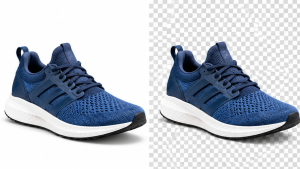
Transparency
Test a downloaded cutout on two solid colors. Tell viewer backgrounds, embedded checkerboards and leftover pixels apart.
Published Updated
Read article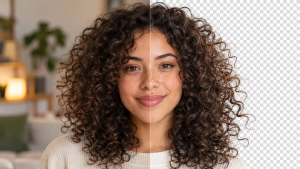
Hair, fur, soft shadows and translucent edges are where background removal usually fails. Use a light/dark edge test and inspect halos before keeping the cutout.
Published Updated
Read article
WebP quality is a tradeoff, not a magic percentage. Test faces, gradients, text and fine texture at the final display size before choosing the smallest acceptable file.
Published Updated
Read article
Pixel dimensions and file size measure different things. A smaller image can still be heavy when its format, compression level, transparency or visual complexity stores more data.
Published Updated
Read article
A resized image can look soft for several different reasons. Diagnose whether the problem comes from upscaling, compression, repeated resizing, browser display, or screen density — then fix…
Published Updated
Read article
Cropping removes part of the frame; resizing changes pixel dimensions. See when each operation is the right choice, what it changes, and when you need both.
Published Updated
Read article
A practical comparison of JPG, PNG and WebP for photos, transparency, screenshots, web delivery, and file size—without treating one format as universally best.
Published Updated
Read article
Choose web image dimensions based on the layout, responsive behavior and screen density—not a single magic width. This guide separates pixel size, display size and file weight.
Published Updated
Read article
Keep proportions intact, understand aspect ratio, and choose between fit, fill and crop so resized images do not look stretched, squashed or unnaturally shaped.
Published Updated
Read article
Converting JPG to PNG can stop further lossy JPEG compression, but it cannot recreate detail that the JPEG already lost. Here is what really changes during conversion.
Published Updated
Read article