EDGE INSPECTION GUIDE

Removing the background is easy. Keeping the edge believable is the real work.

Hair, fur, lace, smoke, glass and soft shadows are not clean solid shapes. A good cutout preserves partial transparency and avoids the bright fringe that appears when pixels from the old background remain around the subject.

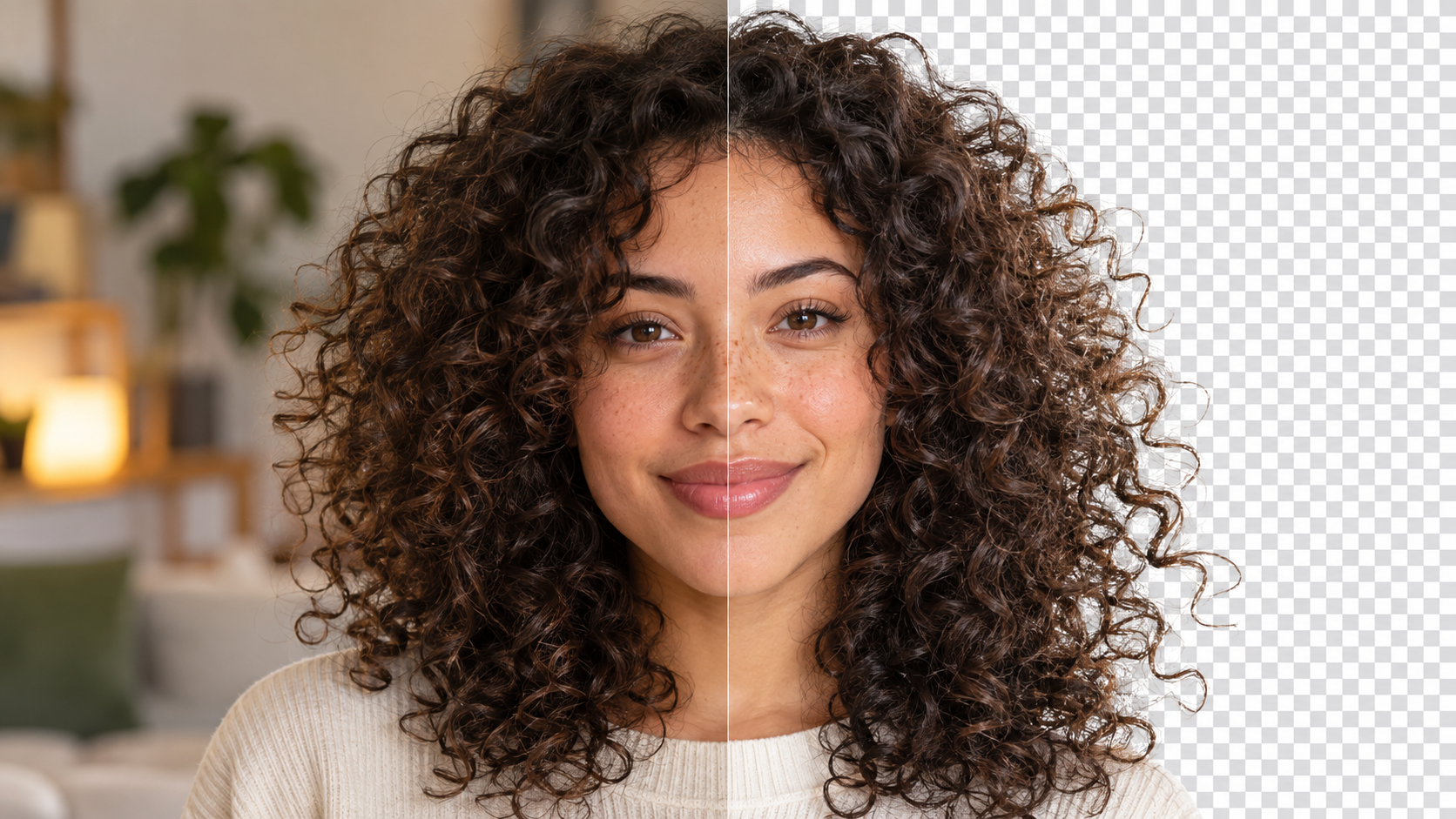
Portrait with complex hair shown before and after background removal while preserving fine strands
THE EDGE CHECK

Inspect the boundary, not the empty background.

01

Zoom into the difficult parts first

Do not start by admiring the clean empty area around the subject. Go directly to flyaway hair, fur, fingertips, glasses, jewelry, fabric fringes and soft shadows. Those areas reveal whether the removal is actually usable.

02

Separate missing pixels from leftover pixels

A harsh edge means useful foreground pixels were removed. A halo means too much of the old background survived. The two failures look different and need different fixes.

03

Check semi-transparent areas

Fine hair and soft shadows may contain pixels that are partly foreground and partly background. Treating every pixel as 100% opaque or 100% transparent can make the edge look artificial.

04

Do not confuse blur with softness

A natural hair edge can be soft without being blurry. The goal is not to sharpen every strand. Over-sharpening creates crunchy borders that look pasted on.

05

Inspect at intended display size

A tiny defect at 400% zoom may be invisible in a 300-pixel product card. A subtle halo that seems acceptable in the editor can become obvious in a large hero image. Judge both close-up and final size.

Close view of fine hair strands preserved after background removal
HAIR IS THE STRESS TEST

Good extraction keeps irregularity.

Real hair does not form a smooth helmet-shaped boundary. Fine strands cross the background at different angles and opacities. If every strand disappears, the cutout looks trimmed. If the old background color remains between strands, the new background reveals a fringe.

LIGHT BACKGROUNDUseful for spotting dark contamination and clipped shadows.
DARK BACKGROUNDUseful for spotting pale halos and missed light pixels.
EDGE FAILURE

A cutout can be technically transparent and still look wrong.

BAD EDGE

Hard clipping + pale fringe

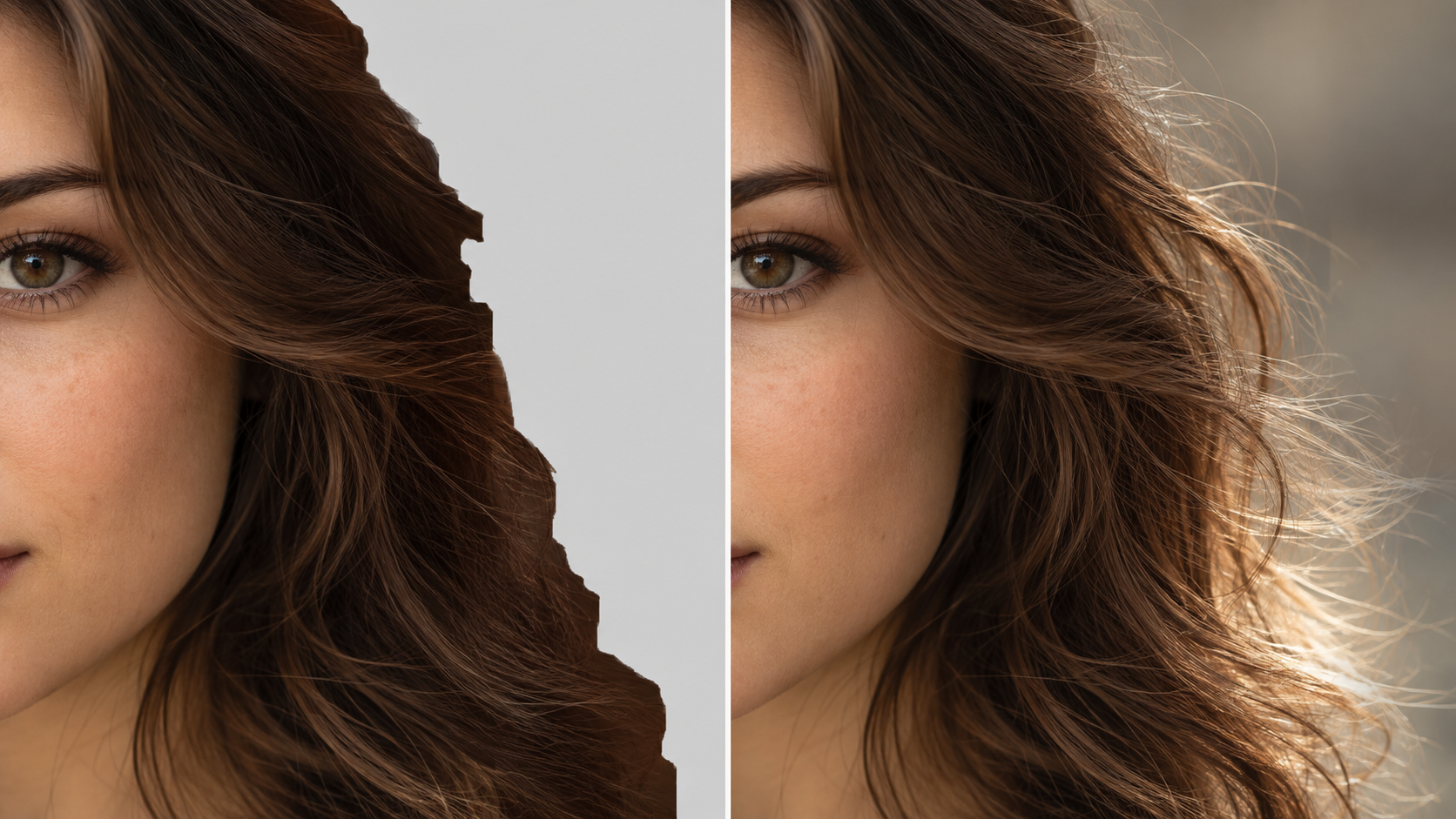
Hair has been simplified into large chunks, and pixels influenced by the original bright background remain around the silhouette. On a dark backdrop, the person appears to glow.

BETTER EDGE

Mixed opacity + natural contour

Major strands remain visible, small gaps are preserved, and the boundary does not carry an obvious color from the previous background. The result survives both light and dark tests.

Comparison between harsh clipped hair edges and a more natural background removal result
THE TWO-BACKGROUND TEST

Never approve a transparent cutout on checkerboard alone.

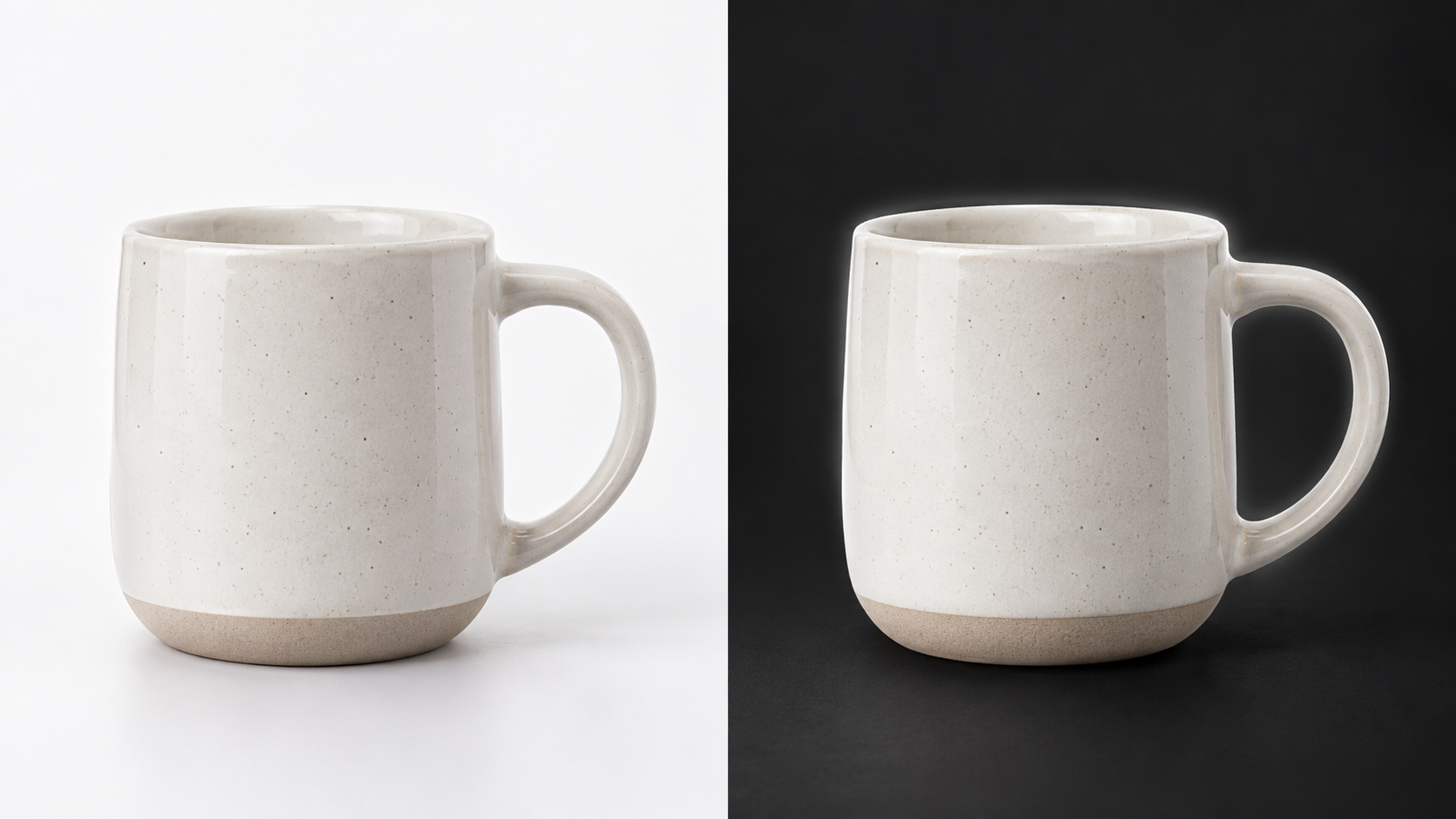
The checkerboard pattern tells you that pixels are transparent, but it is a forgiving inspection background. Put the result over a light solid color and then a dark one. Switching the backdrop exposes leftover edge color, missing shadow detail and semi-transparent regions that were flattened.

For ecommerce work, test once more on the actual page background. A cutout that looks excellent on charcoal can still feel dirty on pure white if the original edge carried a gray studio backdrop.

Background-removed subject tested on both light and dark backgrounds to reveal edge halos
WHEN TO STOP

Not every source can produce a clean cutout.

A

Low-resolution source

If individual hair strands were never captured, background removal cannot reconstruct them accurately.

B

Foreground and background share the same color and texture

A dark-haired subject against a dark textured wall may not contain a clean visual boundary for an automatic tool to infer.

C

Motion blur crosses the boundary

The subject and background are physically blended in the captured pixels. A perfect separation may not exist.

FINAL CHECK

Remove the background, then test the edge on light and dark colors before you trust the file.

Open Remove Background →