
Remove Image
Background Online
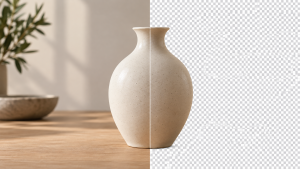
Easily remove backgrounds from images, change backgrounds, and edit photos with powerful online tools. Create professional images in seconds, right in your browser.

Remove or Change a Background
Choose transparency, a solid color, a replacement scene, blur, or crop the final frame.
Remove Background
Automatically remove image backgrounds with one click.
→Change Background Color
Replace backgrounds with any color you like.
→White Background
Create clean white backgrounds for product photos.
→Replace Background
Swap backgrounds with natural, polished scenes.
→Blur Background
Add a beautiful blur effect to your image background.
→Resize, Crop & Convert Images
Adjust dimensions, crop the frame, or change the file format without opening a complicated editor.

How It Works
Remove image backgrounds in just 3 simple steps.
Upload Your Image
Choose an image from your device or drag and drop it here.
Remove the Background
Our editor separates the subject and prepares a clean result.
Download Your Image
Get your finished image with a transparent or custom background.
Perfect for Every Use Case
Create clean images for personal, creative, and professional work.

Product Photos
Create polished product images for stores, catalogs, Shopify, Etsy, and Amazon.

Profile Pictures
Make eye-catching profile pictures for personal or business accounts.

Social Media
Create ready-to-share images for Instagram, Facebook, and YouTube.

Presentations
Use transparent images in slides, thumbnails, marketing material, and more.
Latest Guides & Tips
Learn how to get the most out of our image tools.
 IMAGE GUIDE
How to Add a New Background to a Photo and Make It Look Realistic
A practical workflow for replacing a photo background while matching perspective, scale, lighting, contact shadows, color, sharpness, and texture.
Oct 4, 2026 CleanImg Online Guide IMAGE GUIDE
How to Fix a White Halo After Removing an Image Background
A practical diagnosis and repair guide for white fringes around transparent cutouts, including mask contraction, color decontamination, local edge repair,…
Oct 1, 2026 CleanImg Online Guide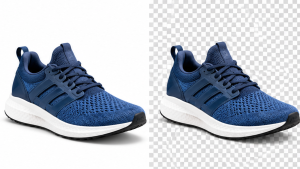 IMAGE GUIDE
Transparent vs White Background: Which Is Better for Your Image?
Transparent and white backgrounds solve different problems. Choose based on where the image will be placed, whether the surrounding color…
Sep 26, 2026 CleanImg Online Guide IMAGE GUIDE
How to Remove an Image Background Without Ruining Hair and Fine Edges
Hair, fur, soft shadows and translucent edges are where background removal usually fails. Use a light/dark edge test and inspect…
Sep 22, 2026 CleanImg Online Guide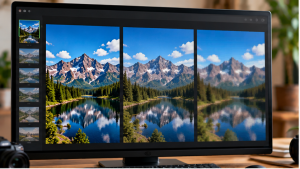 IMAGE GUIDE
WebP Quality Settings Explained: How Small Can an Image Get Before It Looks Bad?
WebP quality is a tradeoff, not a magic percentage. Test faces, gradients, text and fine texture at the final display…
Sep 17, 2026 CleanImg Online Guide IMAGE GUIDE
Image Dimensions vs File Size: Why a Smaller Image Can Still Have a Large File
Pixel dimensions and file size measure different things. A smaller image can still be heavy when its format, compression level,…
Sep 12, 2026 CleanImg Online GuideYour Privacy Is Our Priority
Your images are processed securely. Crop, resize, JPG-to-PNG, and WebP conversion run in your browser. Background removal sends the selected image to a remote processor only when you start that action; it is not added to our WordPress media library.