
Outer edge
Look for a dark outline left from the original room or table.
Prepare a photo for a store, catalog, menu, or document. Upload the original, inspect the subject on white, then check the edges and shadow before export.
A colored or busy backdrop can hide small mistakes. White cannot. Stray pixels around a handle, gray gaps inside a product, or an old floor shadow become obvious as soon as the background is cleaned.
Look for a dark outline left from the original room or table.
Check handles, chair legs, straps, and spaces between loose hair.
Keep a soft shadow only when it anchors the object naturally.
Confirm that pale packaging still has a visible boundary.
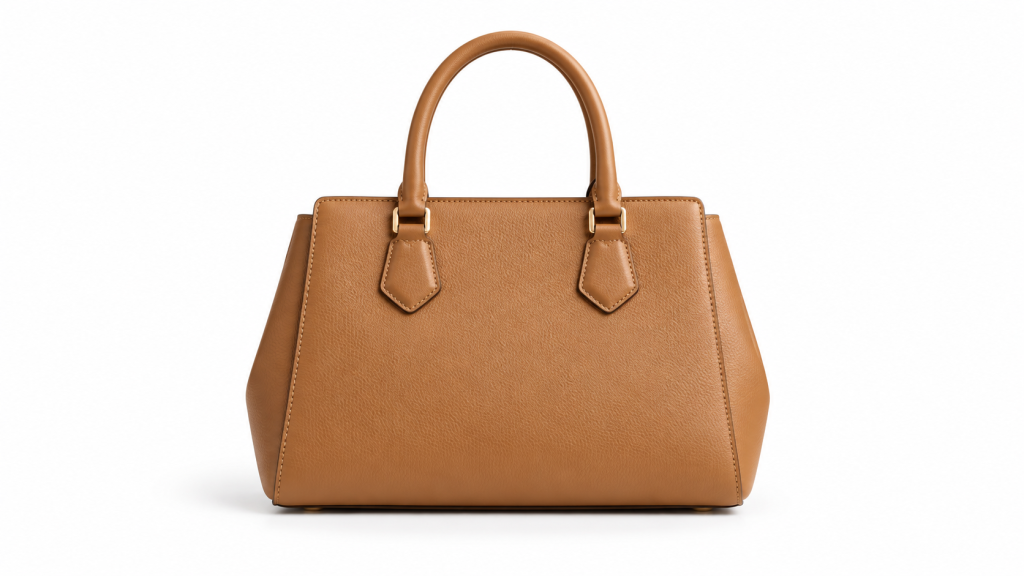
The white area inside each handle should match the page background. A gray patch there immediately reveals incomplete removal.

Brass picks up nearby colors, while a cream shade can disappear against white. Preserve the natural edge without adding a heavy outline.

The handle opening is the common failure point. Glossy highlights also need to remain part of the mug rather than being cut away.
For marketplace listings and formal catalog grids, #FFFFFF is the safest choice. A warm off-white may look better in a lifestyle layout, but it can appear dirty when placed beside a truly white page.
A photo may look white on its own while actually containing pale gray or yellow. Compare the corners with a known #FFFFFF swatch instead of trusting the screen.
Before exporting, check where the image will be used. Requirements can change, and a platform may crop or compress uploads after submission.
Leave balanced space around the full product; do not crop handles or packaging.
Use the same crop, scale, and shadow across every item in one category.
Export at sufficient resolution and confirm color handling with the designer or printer.
Do not assume that any white-background portrait satisfies an official photo requirement.
Use the original photo with the entire product visible. A moderately plain background and clear lighting make thin edges easier to identify.
Repeated compression produces blocks and halos. White makes those defects more noticeable, especially around fabric and hair.
Background replacement is not a substitute for focus, lighting, or resolution. If the source is soft, enlarging it before upload only enlarges the softness.
No. White becomes part of the finished image. Transparency leaves empty pixels that can display any color behind them and normally requires PNG or WebP.
The object and background have similar brightness. Preserve a natural edge, use a very soft shadow, or choose a slightly darker off-white when the destination allows it.
No. Keep a shadow when it looks natural and consistent with the rest of the catalog. Remove or rebuild shadows that contain the old background color or point in a different direction.
No. Marketplaces may also specify image size, crop, product coverage, permitted props, and prohibited text. Check the current rules of the destination before uploading.
The storage and deletion policy will be published after the final processing provider is connected and verified. Until then, this preview does not make an automatic-deletion promise.