ASPECT RATIO WORKSHOP

Resize without stretching the image out of shape.

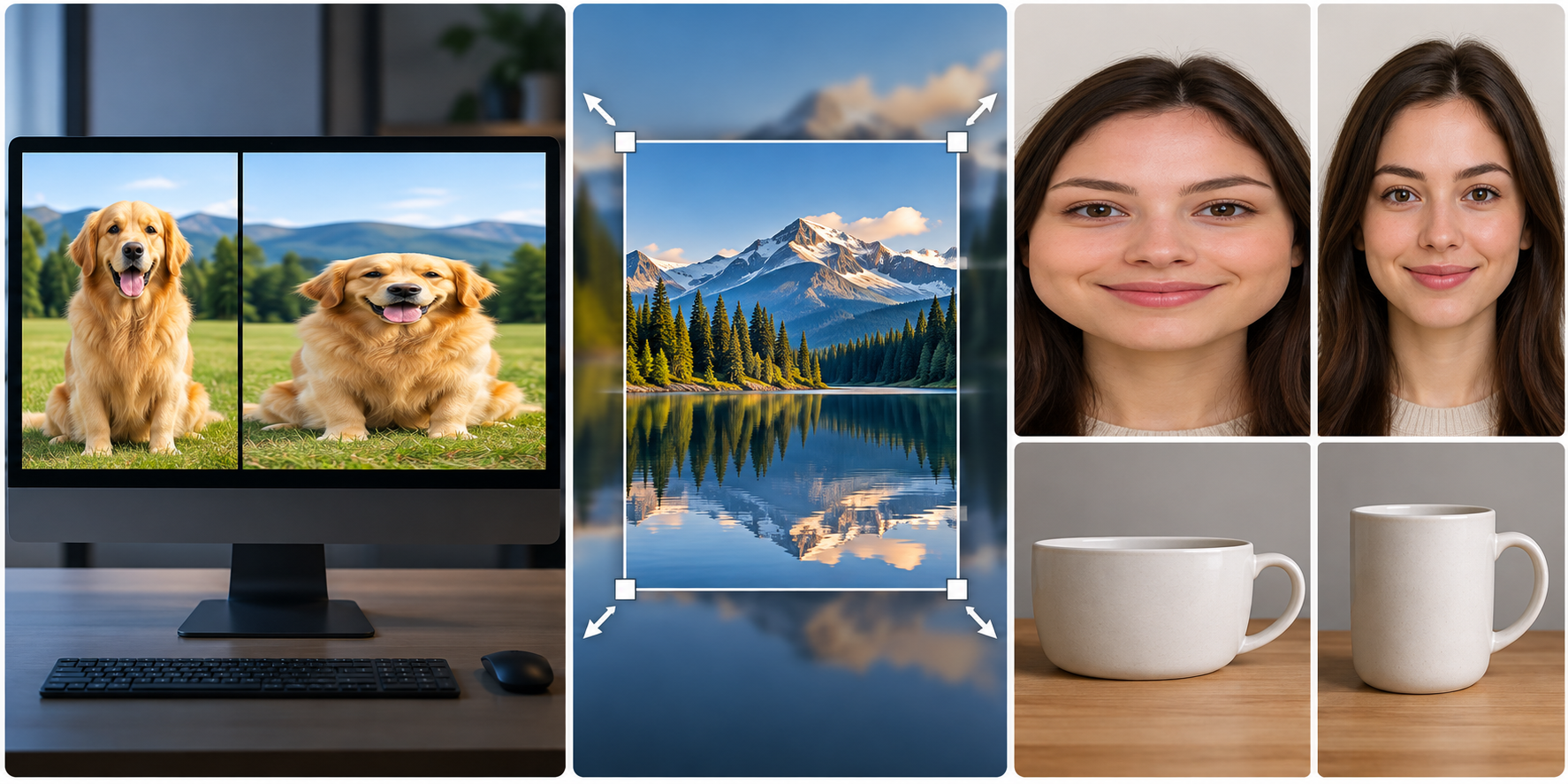
Most distortion comes from one mistake: changing width and height independently. Keep the relationship between the two sides, then decide whether the destination needs fit, fill, or a real crop.

Comparison between a correctly proportioned image and a stretched version
4:316:91:13:2different shapes, same rule
2400×16003:2 source
THE RELATIONSHIP MATTERS

Aspect ratio describes shape, not size.

2400 × 1600 and 1200 × 800 are different dimensions but the same 3:2 shape. If the width is cut in half and the height is cut in half too, objects keep their proportions.

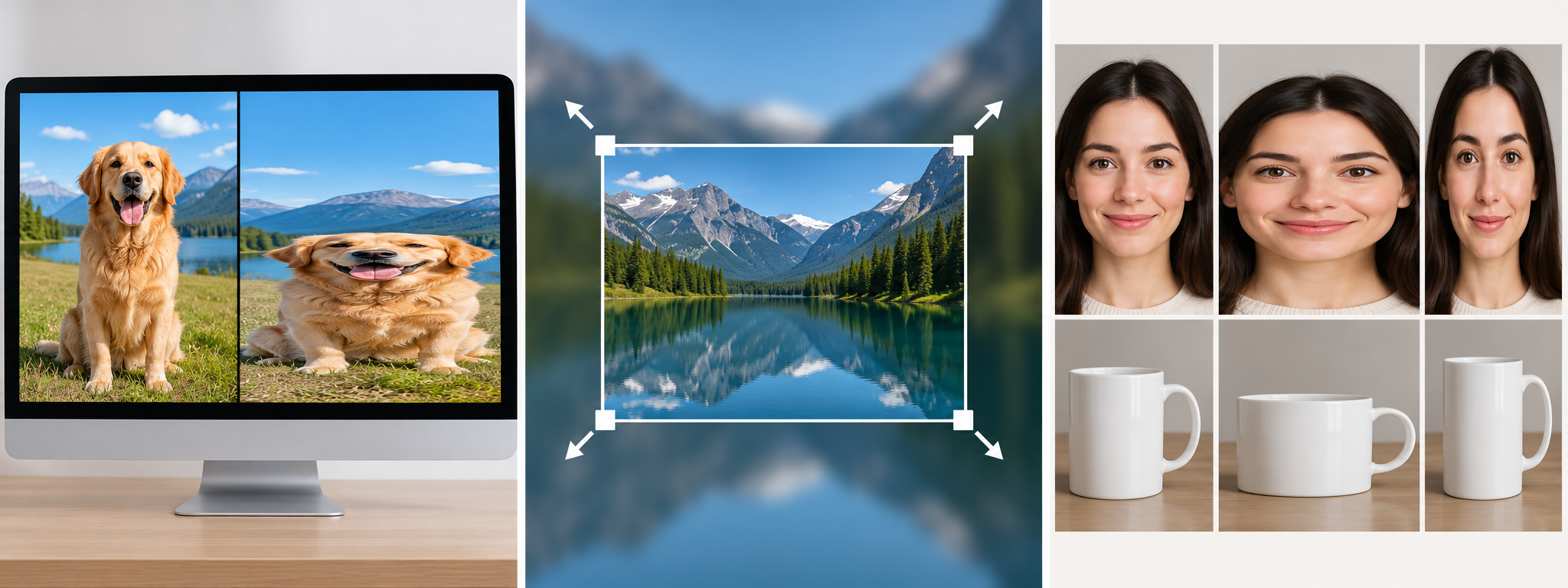
Change only one side and the shape changes. A face gets wider, a circle becomes an oval, a product looks unnaturally tall. That is distortion—not a quality problem.

THE COMMON FAILURE

“Exact dimensions” can be the wrong instruction.

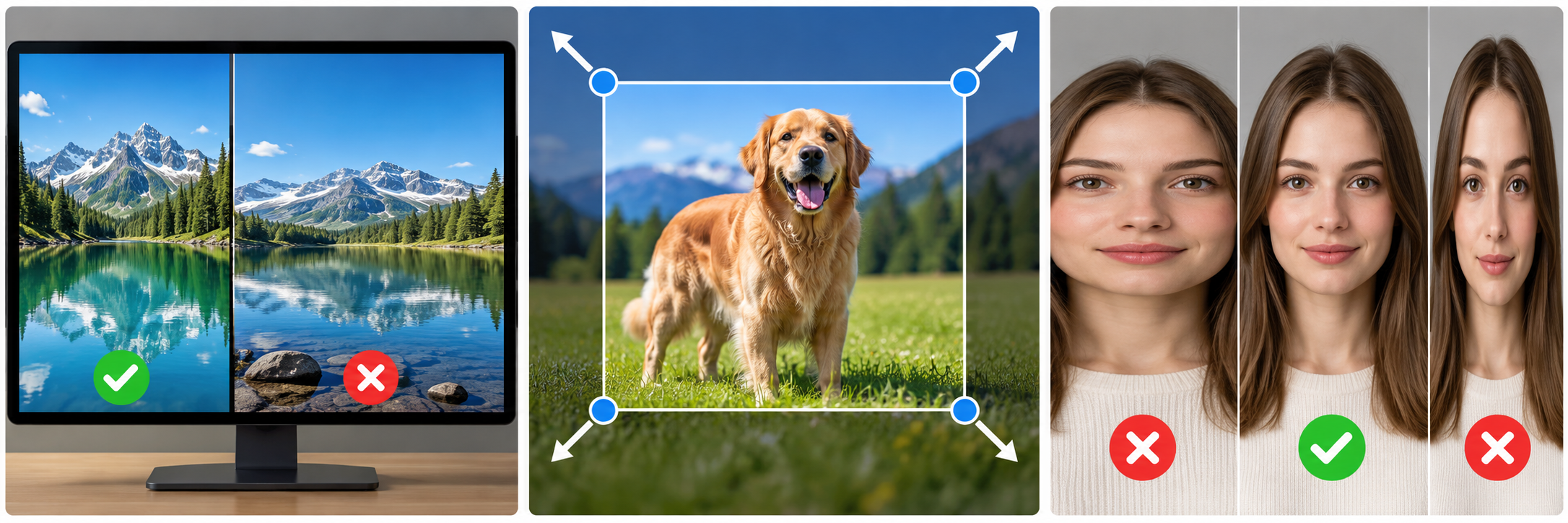
Image resize handles maintaining aspect ratio while dimensions change
LOCKED RATIO
EXAMPLE

Source: 1600 × 900
Requested box: 1000 × 1000

Those shapes do not match. Forcing the original directly into a square by changing width and height independently stretches it.

Do notset 1000 × 1000 and stretch the pixels
Insteadfit the whole image, fill and crop, or intentionally crop a square first
THREE HONEST OPTIONS

When the destination shape is different from the source.

FIT

Keep the whole image

The image is scaled until it fits inside the target box. Unused space may appear on two sides.

Best when nothing can be cut off.
FILL

Use the entire box

The image is scaled until the box is full. Some edges are trimmed because the shapes differ.

Best when the box must be completely filled.
CROP

Choose what gets removed

You deliberately select the new frame before resizing to final dimensions.

Best when composition matters.
Side-by-side example of correct and distorted image proportions
NUMBERS MAKE THIS EASY

Scale one side, calculate the other.

ORIGINAL3000 × 2000
→
WIDTH SET TO1200
→
HEIGHT BECOMES800

The exact calculation can be handled by the tool. What matters is that the ratio remains 3:2. If you truly need 1200 × 1200, the problem is no longer “resize only”; you need a framing decision.

SAFE WORKFLOW

Five checks before download.

  1. 1

    Read the source dimensions

    Know the current width and height before entering a target.

  2. 2

    Leave “keep proportions” on

    Turn it off only when distortion is deliberate.

  3. 3

    Compare source shape with target shape

    If 16:9 must become 1:1, choose fit, fill or crop rather than stretch.

  4. 4

    Check faces, circles and text

    They reveal distortion faster than many natural textures.

  5. 5

    Inspect the final downloaded file

    Make sure the destination dimensions are correct and the composition still works.