08
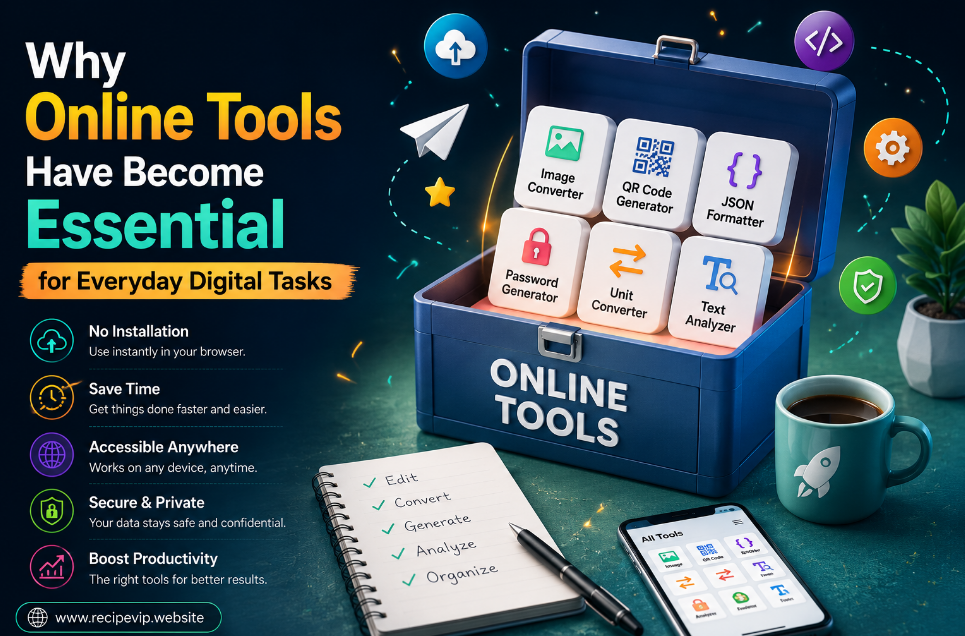
Why Online Tools Have Become Essential for Everyday Digital Tasks
Discover why online tools have become an essential part of modern digital life. Learn how browser-based utilities simplify everyday tasks, improve productivity, and eliminate the need for installing traditional software.
Why Online Tools Have Become Essential for Everyday Digital Tasks
Think about how many small digital tasks you complete in a single day. You might resize an image before uploading it, convert a document into another format, check whether a website is available, create a strong password, or calculate the size of a file before sending it. None of these tasks are particularly difficult, but they can become frustrating when they require downloading software, creating accounts, or learning complicated applications.
This is one of the main reasons online tools have become a regular part of everyday digital life.
Instead of installing programs that occupy storage space and require constant updates, people can now open a browser, complete a task within seconds, and continue working without interruptions. Whether someone is a student, business owner, software developer, content creator, designer, or simply an everyday internet user, browser-based tools provide a faster and more convenient way to solve common problems.
Their popularity has grown steadily over the last decade, but recent changes in how people work have accelerated that growth even further. Remote work, cloud storage, online collaboration, and mobile devices have encouraged users to rely on services that are available anywhere rather than software tied to a single computer.
Today, online utilities are no longer considered alternatives to desktop software. For many tasks, they have become the first choice.
A Shift Toward Simplicity
Technology often becomes more powerful over time, but users usually want something different. They want technology that feels simpler.
Years ago, converting an image from PNG to JPG often meant installing image editing software. Compressing a PDF might require a dedicated application. Even generating a QR code could involve downloading a small program that would never be used again.
Modern browsers have changed those expectations.
Most people now expect these tasks to take less than a minute. If an online utility can complete the same job safely and accurately, there is little reason to install additional software.
This shift has changed how people interact with technology. Instead of collecting dozens of applications, users rely on specialized web tools whenever a specific need appears.
The result is a cleaner computer, fewer software updates, and a much more efficient workflow.
Accessibility Makes a Difference
One of the biggest strengths of browser-based tools is accessibility.
A desktop application only exists on the computer where it was installed. An online utility, however, is available from almost any modern device with internet access.
Imagine editing a document on your office computer and later realizing you need to compress an image before sending it to a client. If the required software only exists on your office machine, the task has to wait.
With browser-based utilities, the same task can often be completed from a laptop, tablet, or even a smartphone within moments.
This flexibility has become especially valuable as more people work remotely or switch between multiple devices during the day.
Instead of adapting their work to available software, users simply open a browser and continue where they left off.
Saving Time Without Sacrificing Quality
Time is one of the most valuable resources in any workflow.
Installing software may not seem like a major inconvenience until it happens repeatedly. Downloading files, accepting installation prompts, checking compatibility, creating shortcuts, updating versions, and eventually removing unused programs all consume time.
Online tools eliminate most of these unnecessary steps.
For example, converting an image, formatting JSON data, checking DNS records, or generating a secure password usually requires nothing more than opening a webpage and completing the task.
Many browser-based utilities also provide instant results without asking users to create accounts or subscribe before performing simple operations.
This streamlined experience is one of the reasons people continue returning to online tools even when desktop alternatives are available.
Supporting Many Different Types of Users
Another reason online utilities have become essential is their versatility.
Different people use them for completely different purposes.
A graphic designer may resize images before publishing them online.
A software developer may validate JSON files or generate UUIDs during application development.
A website owner may verify SSL certificates, check redirects, or inspect HTTP headers while troubleshooting technical issues.
Students often convert documents, count words, or organize text while preparing assignments.
Digital marketers regularly compress images, analyze URLs, or generate QR codes for promotional campaigns.
Although their professions differ significantly, they all benefit from quick access to specialized utilities that simplify everyday work.
This broad usefulness explains why thousands of browser-based tools continue to appear every year.
Reducing Software Clutter
Many computers gradually become filled with applications that are rarely opened.
Someone installs a PDF editor because they need it once.
Later they install another program for image compression.
Then another application for password generation.
Eventually the computer contains dozens of programs that are only used occasionally.
Besides occupying storage space, each application may require updates, security patches, or compatibility fixes.
Browser-based tools solve this problem by reducing the need for permanent installations.
Instead of maintaining multiple applications, users simply visit a trusted online utility whenever necessary.
This approach keeps devices organized while reducing unnecessary maintenance.
Faster Learning Curves
Traditional software often includes hundreds of features designed for professionals.
While powerful, these applications can overwhelm users who only need one simple function.
Online tools usually focus on solving a single problem exceptionally well.
A QR Code Generator creates QR codes.
An Image Compressor reduces image size.
A Password Generator creates secure passwords.
A Website Status Checker verifies whether a website is online.
Because each utility has a clear purpose, new users rarely need tutorials or extensive documentation.
The interface is often intuitive enough that someone can complete the task immediately.
Reducing complexity encourages more people to use digital tools confidently, even if they have limited technical experience.
Helping Website Owners Work More Efficiently
Website owners regularly perform dozens of maintenance tasks that benefit from browser-based utilities.
Checking whether a domain resolves correctly, confirming SSL certificate validity, testing redirects after changing URLs, verifying HTTP response codes, or reviewing DNS records are all common activities.
Using separate desktop applications for each task would be inefficient.
Instead, many professionals rely on specialized online services that provide immediate results inside the browser.
This approach allows website maintenance to become faster while reducing the number of installed networking applications.
Contact
Missing something?
Feel free to request missing tools or give some feedback using our contact form.
Contact Us