08
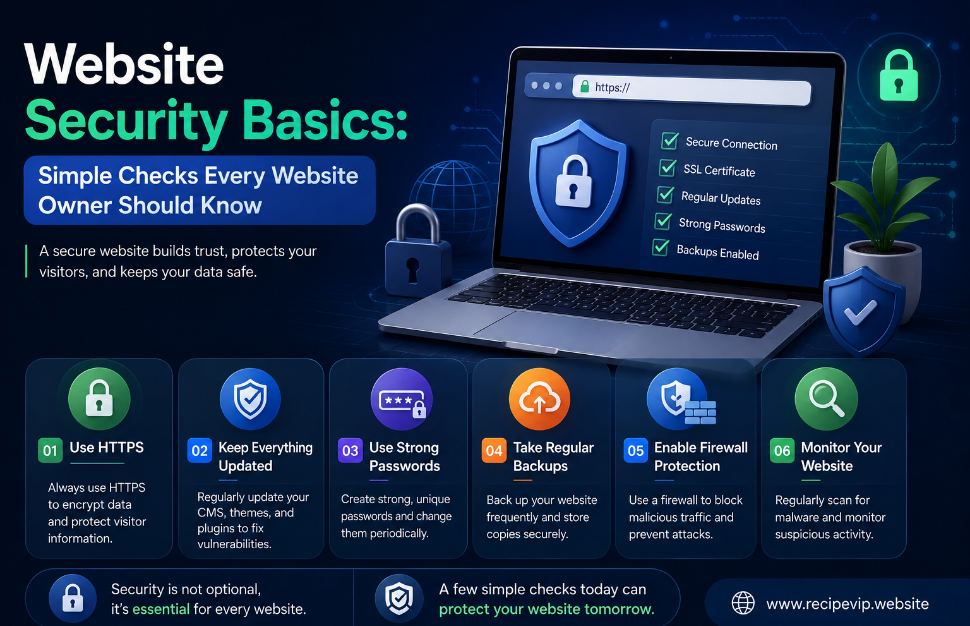
Website Security Basics: Simple Checks Every Website Owner Should Know
Learn the essential website security checks every website owner should perform. Discover how SSL certificates, HTTP status codes, DNS records, redirects, passwords, and regular monitoring help protect websites and improve user trust.
Building a website is easier today than it has ever been. Modern platforms, affordable hosting, and intuitive website builders allow almost anyone to launch a personal blog, an online portfolio, a business website, or an e-commerce store in just a few hours.
However, publishing a website is only the beginning.
Once a website becomes publicly available, it also becomes visible to search engines, automated bots, security scanners, and unfortunately, people looking for weaknesses they can exploit. While large organizations invest heavily in cybersecurity, many small website owners assume that hackers only target famous brands. In reality, automated attacks rarely care whether a website receives one hundred visitors a day or one hundred thousand.
Most attacks are opportunistic. Bots continuously scan the internet searching for outdated software, weak passwords, expired certificates, broken configurations, or exposed services.
The encouraging news is that improving website security does not always require advanced technical knowledge. Many of the most valuable security practices are surprisingly simple and can be completed in only a few minutes using reliable online tools.
This guide explains the essential checks every website owner should understand, regardless of experience.
Security Starts With Trust
Visitors make decisions within seconds.
When someone opens your website, they immediately begin evaluating whether they can trust it. The design matters, but technical signals matter as well.
A browser warning about an insecure connection can cause visitors to leave before reading a single sentence.
A page that fails to load creates uncertainty.
Broken redirects make websites appear neglected.
These problems do not necessarily mean a website has been hacked, but they reduce confidence and may discourage potential customers, readers, or clients.
Good security is not only about preventing attacks—it is also about creating a reliable experience that visitors can trust.
Why HTTPS Is No Longer Optional
Years ago, HTTPS was mainly associated with banking websites and online stores.
Today, every website should use HTTPS.
HTTPS encrypts the communication between a visitor's browser and your server. Without encryption, information traveling across the network becomes significantly easier to intercept.
Even if your website does not process payments or store sensitive information, HTTPS still provides important benefits.
Search engines generally favor secure websites.
Modern browsers display warnings for websites that do not use secure connections.
Visitors naturally expect the small padlock icon that indicates an encrypted connection.
Checking SSL certificates regularly ensures they remain valid before unexpected expiration causes security warnings or downtime.
Strong Passwords Remain One of the Best Defenses
Technology continues to improve, but weak passwords remain responsible for countless security incidents every year.
Many website owners unintentionally create unnecessary risks by using passwords that are easy to remember but also easy to guess.
Simple combinations based on birthdays, names, or common words may feel convenient, yet they provide little protection against automated attacks.
Instead, every important account should use a unique password containing a mixture of uppercase letters, lowercase letters, numbers, and special characters.
Password managers make maintaining unique credentials much easier, while password generators help create secure combinations that would be difficult to predict manually.
Using the same password across multiple services should also be avoided because a breach on one website could potentially expose access to others.
Keep Software Updated
One of the simplest security habits is also one of the most overlooked.
Updates.
Whether your website uses WordPress, Laravel, Joomla, custom software, or another platform, updates frequently contain security improvements alongside new features.
Developers constantly discover vulnerabilities and release patches to fix them.
Ignoring updates leaves known weaknesses exposed, making automated attacks far more likely to succeed.
Updating software should therefore become part of regular website maintenance rather than something performed only after problems appear.
The same principle applies to plugins, themes, extensions, and server software.
Monitor Website Availability
Security and availability often go hand in hand.
A website that suddenly becomes unreachable may indicate server issues, DNS problems, configuration mistakes, or in some cases malicious activity.
Checking whether a website is online helps identify problems quickly.
Website monitoring should not only happen after visitors begin reporting issues.
Routine checks allow administrators to detect interruptions early and respond before they affect a larger number of users.
Even small websites benefit from occasionally verifying response times and server availability.
Understand HTTP Status Codes
Every webpage returns an HTTP status code when someone visits it.
Although visitors rarely notice these numbers, they provide valuable information about how a website responds.
For example:
- 200 indicates the page loaded successfully.
- 301 signals a permanent redirect.
- 302 represents a temporary redirect.
- 404 means the requested page could not be found.
- 500 usually indicates an internal server error.
Understanding these codes helps website owners identify broken pages, incorrect redirects, and server-side problems before they negatively affect visitors or search engine indexing.
Regularly checking important pages ensures that users reach the intended content instead of encountering unexpected errors.
Redirects Should Be Clean and Predictable
Redirects become necessary whenever URLs change.
Unfortunately, poorly configured redirects can create confusing chains where one page redirects to another, which redirects again before finally reaching the destination.
Besides slowing loading times, redirect chains complicate website maintenance and may reduce the overall browsing experience.
A simple redirect check allows website owners to confirm that visitors follow the shortest possible path to the intended page.
Keeping redirects organized also simplifies future updates and reduces technical confusion.
DNS Records Deserve Occasional Attention
Most website owners rarely think about DNS after launching their website.
However, DNS records play an essential role in directing visitors to the correct server.
Incorrect records can lead to email delivery issues, inaccessible websites, or unexpected downtime.
Occasionally reviewing DNS configuration helps ensure that important records remain accurate, particularly after changing hosting providers, email services, or domain settings.
Although DNS may appear technical at first, understanding the basic record types gives website owners greater confidence when managing their online presence.
Security Is an Ongoing Process
One of the biggest misconceptions about website security is that it can be completed once and forgotten.
In reality, security evolves continuously.
New software versions appear.
Certificates expire.
Domains change.
Plugins receive updates.
Attack methods continue developing.
Because technology constantly changes, website maintenance should become a regular habit rather than an occasional emergency response.
Performing small checks consistently is usually far more effective than attempting major repairs after problems occur.
Conclusion
Website security does not have to be intimidating.
Many important security practices involve simple habits that anyone can learn, including maintaining strong passwords, monitoring SSL certificates, understanding HTTP status codes, checking redirects, reviewing DNS records, and keeping software updated.
While no website can eliminate every possible risk, consistent maintenance dramatically reduces unnecessary vulnerabilities.
A secure website protects not only data but also reputation, visitor confidence, search engine performance, and the long-term success of your online presence.
Investing a few minutes in routine security checks today can prevent much larger problems tomorrow.
Frequently Asked Questions
Why is HTTPS important even for a small website?
HTTPS encrypts communication between visitors and the server, improves trust, and has become a standard expectation across the web.
How often should SSL certificates be checked?
It's a good practice to verify certificates periodically and always before their expiration date to avoid browser security warnings.
Are strong passwords really that important?
Yes. Weak passwords remain one of the most common causes of unauthorized account access and automated attacks.
What causes a 404 error?
A 404 status usually appears when a page has been removed, renamed, or linked incorrectly.
Should website owners monitor their sites regularly?
Absolutely. Regular monitoring helps identify downtime, server issues, redirect problems, and configuration errors before they affect visitors.
Contact
Missing something?
Feel free to request missing tools or give some feedback using our contact form.
Contact Us