08
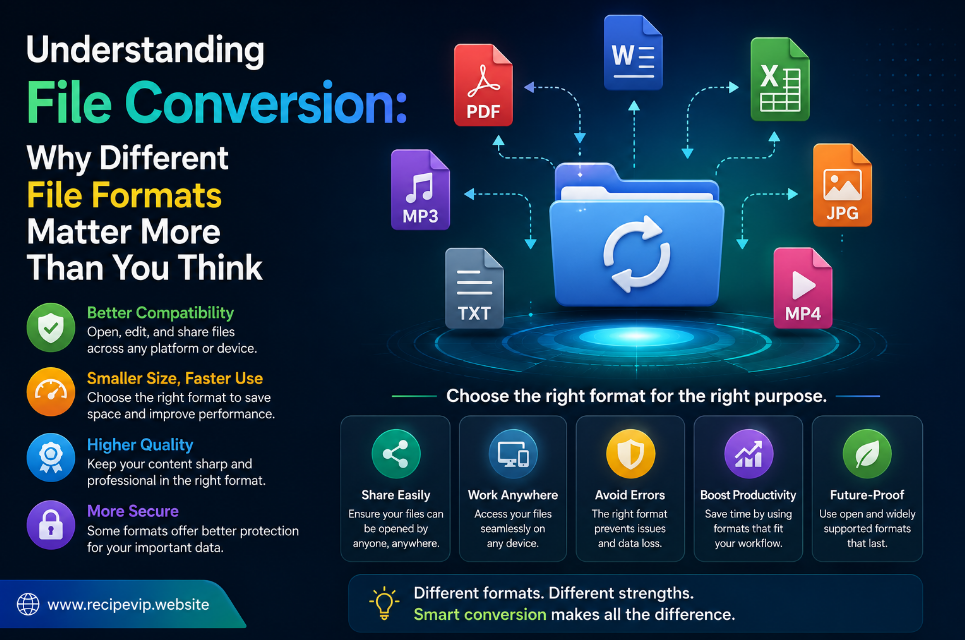
Understanding File Conversion: Why Different File Formats Matter More Than You Think
Learn why file formats matter, how file conversion works, and when to use formats like JPG, PNG, WebP, JSON, XML, CSV, and Base64. A practical guide for everyday users and professionals.
Most people don't think about file formats until something stops working.
You receive an image that won't upload to a website. A document opens correctly on one device but not another. A developer asks for JSON instead of CSV. A client requests a PNG logo while you only have a JPG version.
These situations happen every day, and they all point to the same issue: file compatibility.
Although file conversion sounds like a technical subject, it affects almost everyone who uses a computer, smartphone, or tablet. Whether you're editing photos, managing business documents, building websites, or simply sharing files with friends, understanding why different formats exist can save time and prevent unnecessary frustration.
The good news is that modern online conversion tools have made this process far easier than it was years ago. Instead of installing multiple desktop applications, users can convert many common file types directly from a browser within seconds.
However, knowing how to convert a file is only part of the story. Understanding when a conversion makes sense is just as important.
Why Do So Many File Formats Exist?
A common question is why we need so many formats in the first place.
Wouldn't it be easier if every image, document, and data file used the same format?
In theory, perhaps. In practice, every format is designed with a different purpose in mind.
Some prioritize image quality.
Others reduce file size.
Some focus on compatibility with older software, while others are optimized for modern web applications.
Data formats are created to organize information in ways that different systems can understand efficiently.
Instead of one universal format, we have specialized formats that solve different problems.
Understanding this simple idea makes choosing the right format much easier.
Image Formats Are Built for Different Jobs
Images provide one of the best examples of why format selection matters.
Take JPG as an example.
JPG files are widely supported, relatively small, and ideal for photographs. They balance quality and compression well, making them perfect for websites, blogs, and social media.
PNG, on the other hand, was designed with different priorities.
It supports transparency and preserves image details without compression artifacts. Designers often choose PNG for logos, interface elements, icons, and graphics where sharp edges are important.
Then there is WebP, a newer format created with modern websites in mind.
WebP often produces significantly smaller files while maintaining impressive visual quality. Smaller images help websites load faster, improving the browsing experience for visitors and reducing bandwidth usage.
Choosing the right image format isn't simply about preference—it's about selecting the option that best fits your intended use.
Why Website Performance Depends on File Formats
Many website owners focus on themes, layouts, and content while overlooking one factor that directly affects loading speed: image size.
Uploading large, unoptimized images can slow pages considerably.
Visitors may leave before the page finishes loading, especially when browsing on slower mobile connections.
Search engines also consider page performance when evaluating user experience.
For this reason, many website owners convert large image files into more efficient formats before publishing them.
Compressing images or converting them to modern formats such as WebP often reduces file size without causing noticeable quality loss.
Small improvements repeated across dozens of pages can have a meaningful impact on overall website performance.
Documents and Data Files Follow the Same Principle
The same logic applies beyond images.
Developers frequently work with formats like JSON, XML, and CSV.
Although each stores information, they serve different purposes.
CSV is simple and works well with spreadsheets and tabular data.
JSON has become the preferred format for modern APIs because it is lightweight and easy for applications to process.
XML remains important in industries that require structured documents and compatibility with older enterprise systems.
Converting between these formats allows different systems to exchange information without rebuilding entire applications.
Instead of manually rewriting data, conversion tools automate the process while reducing the possibility of human error.
Compatibility Is Often the Real Goal
People sometimes assume file conversion improves quality.
In reality, compatibility is usually the primary objective.
Converting an image from one format to another doesn't magically add missing detail.
Likewise, converting a compressed audio file into another format doesn't recreate information that was previously removed.
Instead, conversion allows files to work correctly with different devices, websites, software, or operating systems.
Understanding this expectation helps users choose realistic solutions instead of assuming conversion will always improve the original file.
Browser-Based Converters Have Simplified Everyday Work
Years ago, converting files often required dedicated software that occupied storage space and needed regular updates.
Today, many everyday conversions can be completed directly from a browser.
This approach offers several practical advantages.
Users no longer need to install applications for occasional tasks.
Updates happen automatically on the service itself.
Many conversions finish within seconds.
Perhaps most importantly, browser-based tools make specialized technology available to people who may have little technical experience.
Instead of learning complex software, users simply select a file, choose the desired format, and download the converted result.
Technology becomes more accessible when complicated processes are presented through simple interfaces.
Choosing the Right Converter
Not every converter provides the same experience.
Before uploading files, it's worth checking whether the service explains how uploaded data is processed, whether secure HTTPS connections are used, and whether files are removed after processing.
A reliable converter should also preserve quality whenever possible, provide accurate results, and avoid unnecessary restrictions for common tasks.
Clear documentation, transparent privacy policies, and consistent performance often distinguish trustworthy online tools from unreliable alternatives.
Conclusion
File conversion is something most internet users rely on without giving it much thought. Yet every successful conversion depends on choosing the right format for the right purpose.
Understanding why different formats exist helps users make better decisions, whether they're preparing images for a website, exchanging data between applications, or organizing digital documents.
As online tools continue to improve, converting files has become faster, simpler, and more accessible than ever. The technology behind these utilities may be complex, but the experience for the user doesn't have to be.
Frequently Asked Questions
Why can't every device open the same file formats?
Different devices and applications support different standards. Some formats are newer, while others were designed for specialized purposes.
Does converting a file improve its quality?
Not usually. Conversion mainly improves compatibility. Image or audio quality generally depends on the original source.
Which image format is best for websites?
It depends on the content. Photographs often work well as JPG or WebP, while graphics with transparent backgrounds are usually better suited to PNG.
Can I convert files without installing software?
Yes. Many common conversions can now be completed safely through browser-based online tools.
Why do developers use JSON instead of CSV?
JSON supports nested data structures and is easier for modern web applications and APIs to process, while CSV is better suited for simple tabular information.
Contact
Missing something?
Feel free to request missing tools or give some feedback using our contact form.
Contact Us