08
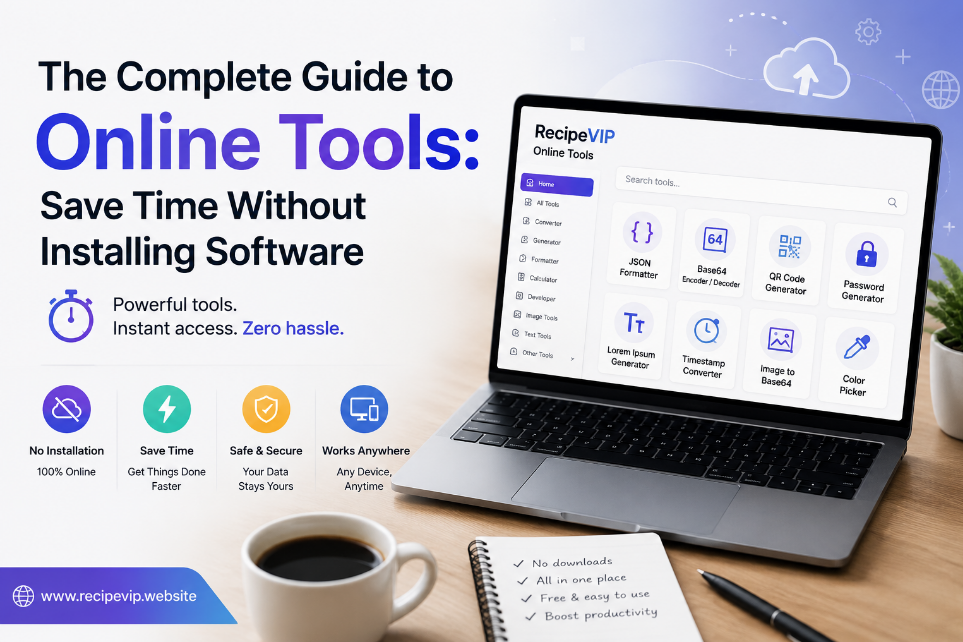
The Complete Guide to Online Tools: Save Time Without Installing Software
Discover how online tools help you work faster without installing software. Learn their benefits, common use cases, and how to choose secure, reliable web-based utilities.
The Complete Guide to Online Tools: Save Time Without Installing Software
Not long ago, completing a simple digital task often meant downloading software, going through an installation process, creating desktop shortcuts, and keeping everything updated. Whether you wanted to compress an image, convert a file, generate a password, or check a website's status, there was usually a dedicated application for each job.
Today, that approach has changed dramatically.
Modern browsers have become powerful enough to handle thousands of tasks that once required traditional desktop software. As a result, online tools have become an essential part of everyday digital work. Instead of filling your computer with programs you may only use once or twice, you can open a browser, complete your task in minutes, and move on.
This shift is about more than convenience. Browser-based utilities save time, reduce maintenance, improve accessibility, and allow people to work from virtually anywhere. Students, developers, business owners, designers, marketers, writers, and everyday internet users now rely on web-based tools to simplify tasks that used to be unnecessarily complicated.
The growing popularity of online utilities also reflects changing work habits. Remote work, cloud storage, and cross-device collaboration have made flexibility more valuable than ever. A useful tool is no longer something that lives on one computer—it is something you can access whenever you need it.
This guide explores how online tools work, why millions of people use them every day, and how to choose reliable services that protect your data while helping you work more efficiently.
What Are Online Tools?
Online tools are web applications that perform specific tasks directly inside your browser. Unlike traditional software, they usually do not require installation, manual updates, or complex configuration.
Most online utilities focus on solving one problem quickly.
For example, you may want to:
- Convert an image into another format.
- Generate a secure password.
- Check whether a website is online.
- Compress large files.
- Decode Base64 text.
- Validate JSON.
- Create a QR code.
- Analyze DNS records.
Instead of downloading separate software for each of these tasks, you simply visit a trusted website, complete the process, and continue with your work.
Many modern online tools perform calculations or conversions directly inside your browser, which means your data never leaves your device for certain operations. Others require secure server-side processing for more advanced features. Understanding this difference helps users make informed decisions when handling sensitive information.
Why Online Tools Have Become So Popular
The popularity of browser-based utilities did not happen overnight. Several technological improvements have made web applications faster, safer, and more reliable than ever before.
Internet connections have become significantly faster across much of the world. Modern browsers support advanced technologies that allow websites to perform tasks that once required desktop software. At the same time, cloud computing has made it possible to process larger workloads efficiently without demanding expensive hardware from users.
Another important reason is simplicity.
People rarely want to spend fifteen minutes installing software for a task that takes thirty seconds to complete.
Imagine needing to convert a PNG image into JPG format for an email attachment. Installing professional image editing software would be unnecessary if an online converter can complete the task almost instantly.
The same idea applies to dozens of everyday situations.
Instead of downloading multiple applications, users can complete different tasks through specialized online utilities, saving both time and storage space.
Common Categories of Online Tools
The variety of browser-based utilities continues to grow every year. Although thousands of different tools exist, most fall into several major categories.
Website and Network Utilities
Website owners and developers frequently need quick access to technical information.
Utilities such as website status checkers, DNS lookup tools, SSL certificate checkers, HTTP header analyzers, and redirect checkers help identify issues without requiring advanced networking software.
These tools are useful during website launches, troubleshooting sessions, and routine maintenance.
Even users with limited technical knowledge can quickly verify whether a website is available or investigate basic connection problems.
File Conversion Tools
File compatibility remains a common challenge.
Different websites, applications, and operating systems often require different file formats.
Online converters simplify this process by allowing users to transform files between supported formats within minutes.
Popular examples include:
- JPG to PNG
- PNG to WEBP
- WEBP to JPG
- CSV to JSON
- JSON to XML
- XML to JSON
- Markdown to HTML
- HTML to Markdown
These conversions are especially useful for designers, developers, students, content creators, and office workers who regularly exchange files between different platforms.
Image Optimization Tools
Images play an important role in websites, presentations, marketing materials, and social media.
However, high-quality images often produce large file sizes that slow down websites and consume unnecessary storage space.
Image optimization tools help solve this problem by compressing images while maintaining acceptable visual quality.
Other image utilities can resize pictures, convert formats, generate Base64 image strings, or prepare graphics for responsive websites.
Optimized images improve loading speed, user experience, and storage efficiency without requiring professional editing software.
Security Utilities
Security has become one of the biggest priorities on the internet.
Even casual users benefit from tools that help strengthen passwords, verify SSL certificates, validate email addresses, or generate secure hashes.
For developers and system administrators, browser-based security utilities provide fast access to important information without installing additional software.
Simple tools such as password generators encourage stronger account protection by creating complex passwords that are difficult to guess.
Similarly, SSL checkers help website owners confirm that certificates remain valid before visitors encounter security warnings.
Contact
Missing something?
Feel free to request missing tools or give some feedback using our contact form.
Contact Us